Upgrading Laptop SSD or RAM: What You Must Know First
Learn whether to upgrade SSD or RAM for better laptop performance with expert tips from MAXELL COMPUTER Putalisadak.
By Content Writer | Content Writer
Published
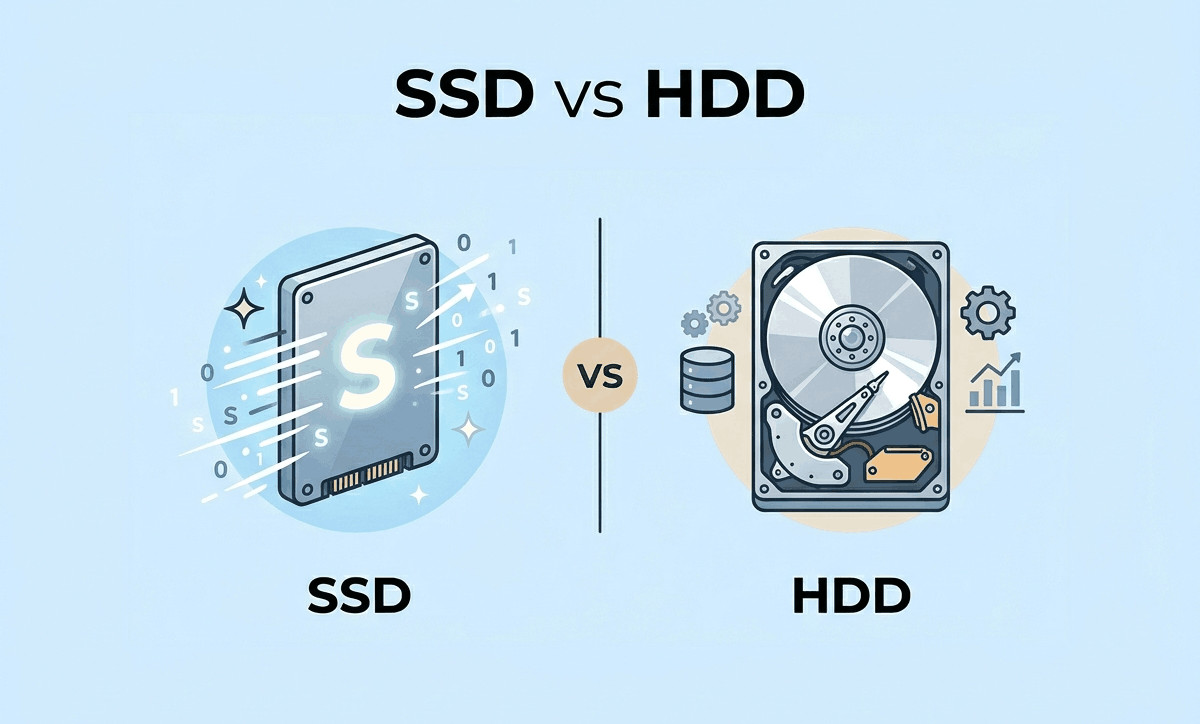
Table of contents(17)
If your laptop has become slower over time, you may be wondering whether upgrading laptop SSD or RAM is the better solution. Many laptop users in Nepal face this situation after a few years of regular use. Applications take longer to open, multitasking becomes difficult, and even startup times can feel frustratingly slow.
The good news is that you do not always need to buy a completely new laptop. In many cases, upgrading your SSD or RAM can dramatically improve performance at a lower cost compared to replacing the entire device.
At MAXELL COMPUTER Putalisadak, customers frequently visit looking for practical laptop upgrade solutions. Whether you are a student, office worker, gamer, designer, or business user, understanding the difference between SSD and RAM upgrades can help you make a smarter decision.
This guide explains everything laptop buyers in Kathmandu and Nepal should know before upgrading.
Understanding SSD and RAM
Before choosing an upgrade, it is important to understand what SSD and RAM actually do.
What Is RAM?
RAM (Random Access Memory) temporarily stores data that your laptop is actively using.
More RAM helps your laptop:
- Run multiple applications smoothly
- Improve multitasking
- Reduce lag while browsing
- Handle larger files and software
If your laptop freezes when many tabs or applications are open, low RAM may be the issue.
What Is an SSD?
An SSD (Solid State Drive) stores your operating system, files, and applications permanently.
Compared to traditional HDDs, SSDs offer:
- Faster boot times
- Faster file transfers
- Quicker software loading
- Better overall responsiveness
For many users, an SSD upgrade creates the most noticeable speed improvement.
Signs You Need an SSD Upgrade
Your Laptop Takes Too Long to Start
If your laptop needs several minutes to boot, your storage drive may be slowing things down.
An SSD can reduce startup times significantly.
Applications Open Slowly
Programs like:
- Photoshop
- Browsers
- Microsoft Office
- Video editing tools
often load much faster on SSD storage.
Your Laptop Uses an Old HDD
Traditional hard drives become slower over time because they contain moving mechanical parts.
SSD storage is:
- Faster
- More durable
- More power efficient
- Less prone to physical damage
Many customers visiting a laptop shop in Putalisadak upgrade from HDD to SSD instead of buying a completely new laptop.
Signs You Need a RAM Upgrade
Your Laptop Freezes During Multitasking
If opening multiple browser tabs causes lag, RAM could be insufficient.
This is common among:
- Students attending online classes
- Office users
- Designers
- Developers
Software Crashes Frequently
Low RAM can cause:
- Application crashes
- Browser slowdowns
- System freezing
Increasing RAM often improves stability.
You Use Heavy Applications
Programs such as:
- AutoCAD
- Adobe Premiere Pro
- Photoshop
- Gaming software
- Virtual machines
typically require more RAM for smoother performance.
SSD vs RAM: Which Upgrade Should You Choose First?
This is one of the most common questions customers ask at MAXELL COMPUTER Putalisadak.
Choose SSD First If:
- Your laptop still uses HDD storage
- Boot times are slow
- Programs open slowly
- File transfers take too long
Choose RAM First If:
- Your laptop already has SSD storage
- Multitasking feels slow
- Programs freeze frequently
- You use heavy software regularly
SSD vs RAM Comparison Table
| Feature | SSD Upgrade | RAM Upgrade |
|---|---|---|
| Improves Boot Speed | Excellent | Minimal |
| Helps Multitasking | Moderate | Excellent |
| Faster File Access | Excellent | No |
| Better Gaming Performance | Moderate | Good |
| Best for Older Laptops | Excellent | Good |
| Noticeable Everyday Speed | Very High | Medium to High |
In many situations, upgrading both SSD and RAM together provides the best overall experience.
Can Every Laptop Be Upgraded?
Not all laptops support easy upgrades.
Some modern ultrabooks have:
- Soldered RAM
- Limited SSD slots
- Non-removable components
Before purchasing upgrades, it is important to check:
- Laptop model compatibility
- Maximum RAM support
- SSD interface type
- Physical installation space
A professional laptop shop in Kathmandu can inspect your device and recommend suitable options.
Common SSD Types Explained
SATA SSD
- Common in older laptops
- Affordable upgrade option
- Major speed improvement over HDD
NVMe SSD
- Much faster than SATA
- Used in newer laptops
- Better for gaming and heavy workloads
Prices may vary depending on specifications, availability, and market conditions.
How Much RAM Do You Actually Need?
4GB RAM
Suitable only for:
- Basic browsing
- Simple office work
8GB RAM
Recommended for:
- Students
- Office users
- Everyday multitasking
16GB RAM
Ideal for:
- Gaming
- Design work
- Video editing
- Professional workloads
32GB and Above
Best for:
- Advanced creators
- Developers
- High-end rendering tasks
Buying more RAM than you actually need may not always improve real-world performance significantly.
Important Things to Check Before Upgrading
Compatibility Matters
Not all RAM or SSD components work with every laptop.
Important checks include:
- DDR generation
- RAM frequency
- SSD size format
- Motherboard support
Incorrect upgrades can lead to:
- Boot failures
- System instability
- Wasted money
Thermal and Cooling Conditions
Faster hardware can generate more heat.
If your laptop cooling system is dirty or weak, upgrades alone may not solve performance issues.
Professional cleaning and thermal servicing can help maintain stable performance.
Battery Health
Sometimes slow performance is linked to battery problems rather than storage or RAM limitations.
Older batteries may:
- Cause throttling
- Reduce performance stability
- Create charging issues
A proper diagnosis helps identify the real cause.
Benefits of Upgrading Instead of Buying New
For many users in Nepal, upgrading existing laptops is more budget-friendly.
Advantages Include:
- Lower cost
- Better performance
- Extended laptop lifespan
- Less electronic waste
- Faster everyday usage
This is especially useful for students and small businesses managing limited budgets.
Laptop Upgrade Advice for Buyers in Kathmandu
Laptop buyers in Kathmandu often face unique challenges, including:
- Limited availability of certain models
- Import-based pricing changes
- Fake accessories in the market
- Confusing upgrade options
Choosing the right laptop shop in Putalisadak becomes important for getting reliable recommendations.
Tips for Laptop Users in Nepal
Ask Before Upgrading:
- Is the laptop worth upgrading?
- What improvements can realistically be expected?
- Are genuine components being used?
- Will upgrades affect future compatibility?
Avoid:
- Extremely cheap upgrade parts
- Unverified repair shops
- Low-quality duplicate SSDs or RAM
Reliable upgrade advice can help avoid expensive mistakes.
Why Customers Visit MAXELL COMPUTER Putalisadak
As a trusted laptop shop in Kathmandu, MAXELL COMPUTER Putalisadak helps customers understand whether upgrading or replacing a laptop makes more sense.
Customers Visit For:
- SSD upgrades
- RAM upgrades
- Laptop performance diagnosis
- Laptop repairs
- Thermal cleaning
- Laptop accessories
- Buying consultation
Many users are unsure whether their laptop needs repair, optimization, or replacement. Professional guidance helps customers make practical decisions based on usage needs and budget.
Putalisadak remains one of Kathmandu’s most popular technology hubs, making it convenient for laptop buyers and upgrade seekers across Nepal.
When You Should Consider Buying a New Laptop
Sometimes upgrading is not enough.
You may need a new laptop if:
- The processor is too outdated
- Motherboard issues exist
- Battery and display are failing together
- Upgrade support is limited
- Repair costs become too high
In such cases, comparing current laptop price in Nepal and future upgrade value becomes important.
A trusted laptop shop in Kathmandu can help compare upgrade costs versus replacement benefits.
Professional Installation vs DIY Upgrades
Some users attempt upgrades themselves after watching online tutorials.
While simple upgrades may seem easy, mistakes can cause:
- Data loss
- Hardware damage
- Incorrect installation
- Overheating issues
Professional installation reduces these risks and ensures compatibility testing.
Visit MAXELL COMPUTER Putalisadak for Laptop Upgrade Guidance
If you are considering upgrading laptop SSD or RAM, expert advice can save both time and money.
Whether you need:
- Faster performance
- Better multitasking
- Laptop repair
- Storage upgrades
- Gaming improvements
- Office productivity optimization
MAXELL COMPUTER Putalisadak can help you choose practical upgrade solutions based on your laptop model and usage requirements.
As a reliable laptop shop in Putalisadak, the focus is on helping customers improve performance without unnecessary expenses.
Frequently Asked Questions (FAQs)
1. Which upgrade gives better performance: SSD or RAM?
For most older laptops using HDD storage, SSD upgrades usually provide the biggest speed improvement.
2. Can I upgrade SSD and RAM together?
Yes. Many laptops support both upgrades, and combining them often delivers the best performance boost.
3. Will upgrading RAM improve gaming?
Additional RAM can improve gaming performance, especially when running modern games or multitasking during gameplay.
4. Is SSD upgrade safe for old laptops?
In most cases, yes. Compatibility should be checked before installation to ensure proper performance.
5. Where can I upgrade my laptop in Kathmandu?
You can visit MAXELL COMPUTER Putalisadak for laptop upgrades, repairs, cleaning, and buying guidance.
Conclusion
Understanding the difference between SSD and RAM upgrades is essential before spending money on laptop improvements. In many situations, upgrading laptop SSD or RAM can significantly improve speed, responsiveness, and productivity without needing a completely new device.
For users searching for a trusted laptop shop in Putalisadak or the best laptop store in Kathmandu, MAXELL COMPUTER Putalisadak offers practical guidance, upgrade solutions, laptop repairs, and customer-focused support tailored for laptop users in Nepal.
Whether you are upgrading for work, studies, gaming, or creative tasks, making the right upgrade decision can extend your laptop’s life and improve your overall experience.
Last updated July 17, 2026 · 7 min read